Weird. For me it automatically appends .markdown as the file extension instead of the much more common .md

I can’t see myself putting up with Paper for long if there’s no way to change that.
Weird. For me it automatically appends .markdown as the file extension instead of the much more common .md
I can’t see myself putting up with Paper for long if there’s no way to change that.
Could you use Hazel to automatically change the extension when the file is saved?
How do you even go to that exact screen…?
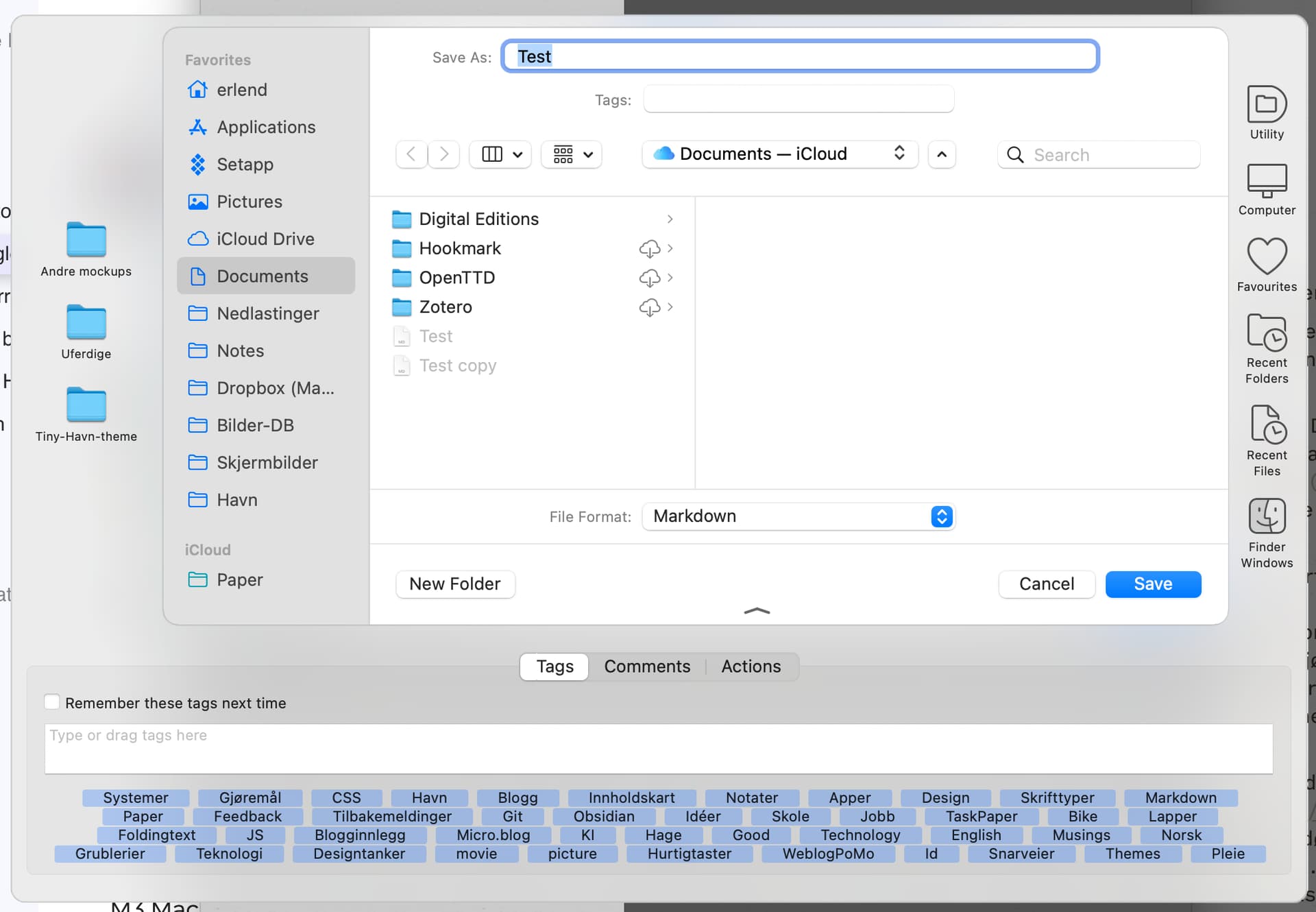
Here’s mine when I hit cmd+S (Including Default Folder X):
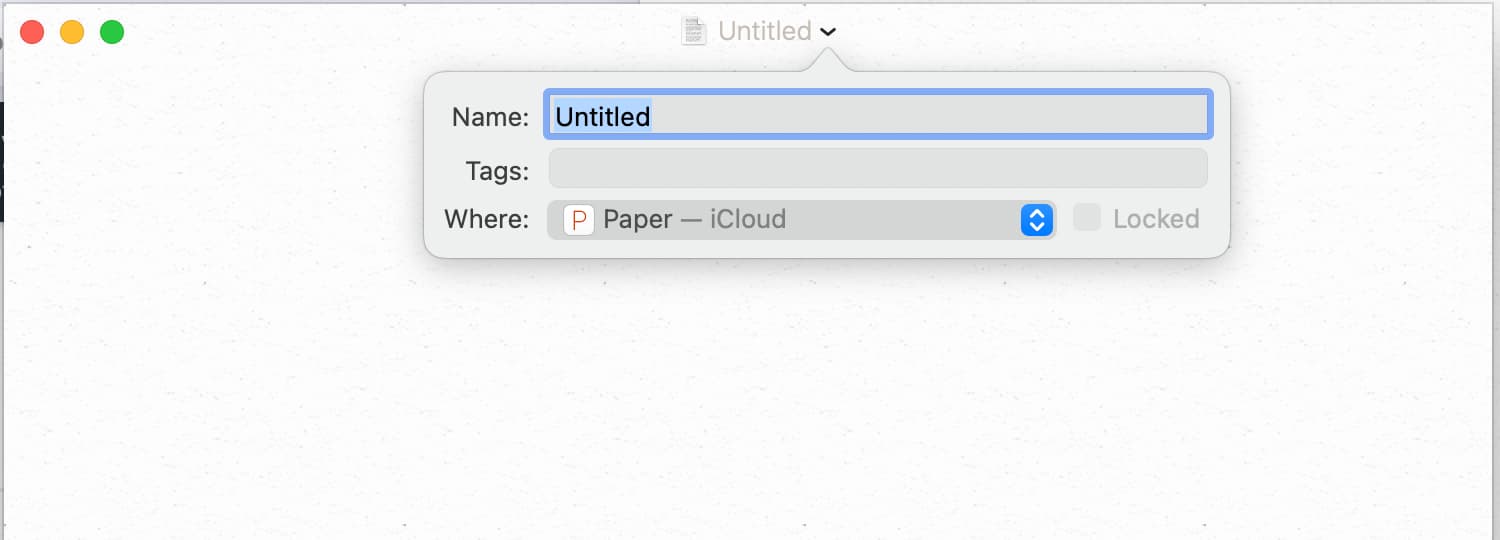
And here’s mine when I hit the toolbar…
(BTW, the dev answers pretty fast on the chat in the app, so you can ask him as well!)
Thanks for the suggestion, but I don’t use Hazel, and even if I did I wouldn’t want to rely on a markdown editor that couldn’t save files with a .md extension without a hack.
I thought the same thing but I thought I’d at least suggest it. 
Just save/save as, but it changes to the larger, more detailed screen like yours if I hit the expand button next to “where.”
Did you get yours from the Mac App Store like I did?
This is a very opinionated app. I agree that not have a settings panel is a little precious. I only stumbled across the Option-Key treatment of menus.
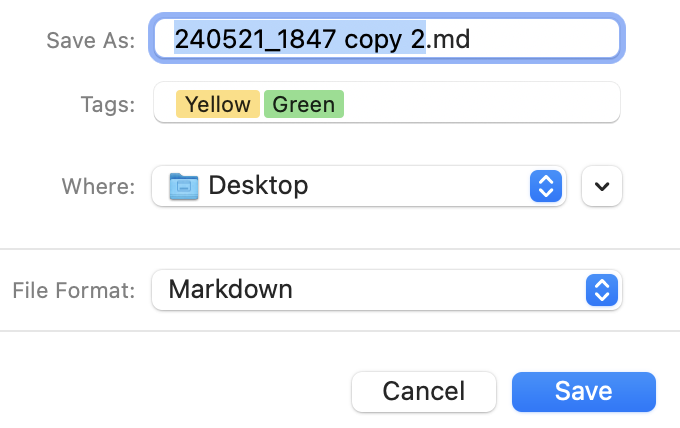
I would second what Erlend said. For me it defaults to .md. I can override it for a specific file and manually enter .markdown but that does not “reset” the app in my experience.
P.S.
Another thing that I personally do not like is the Save/Duplicate/Rename options for files in the File menu. Apple, I think, introduced this idea a few years ago to replace Save/SaveAs. I have never liked it. I run across it when I use Pages but it does not seem to have captured the imaginations of most independent developers and the great majority of my apps have stuck with Save/SaveAs. But Paper does use this “modern” convention.
I am using a MacStudio M1 and Magic Keyboard. I am not a fast typist but I do not have this experience. Hitting keys and typing random letters literally as fast as I can, I can see no lag.
In some ways it’s very polished and in others like these it’s just different for the sake of being different. I don’t see that eliminating fhe settings panel then hiding settings elsewhere in the menus behind the option key has any user benefits at all.
It’s unusual for a native-coded app to reject standard macOS conventions to this extent.
Chacun à son gout  I definitely can see a disconnect between where the cursor is and where I expect it to be – whether or not that’s what’s you’d call ‘lag’ or not, that’s how I perceive it. And it takes my attention away from the words themselves to the way they appear on the screen, and that’s not what I want from a text processor.
BTW, my argument isn’t that Paper has the feature, or even that it’s the default: it’s that turning it off is hidden behind a paid upgrade and an intrusive nag screen, so that I can’t test the program properly and I’ll never get to see whether I’d be tempted to pay the (very high) subscription.
Bike does this more sensibly: Smooth Caret Abomination is turned on by default but turning it off is trivial.
As I’ve said above: the cursor isn’t where I expect it to be when I type – ‘lag’ is the best way I can find to describe the disorientating perception I get.
It takes concentration away from the words and on to the animation. I find it really off-putting, just as I would if each letter randomly appeared in a different colour. I can see that it’s a clever trick and that people like clever tricks (I do myself, just not this one…) but I really don’t see what purpose it serves in a text editor.
I’m not saying people shouldn’t like it, just that it’s not for me, and in this particular case, it means I can’t test the program out properly.
Hehe, yeah - I guess, for me, after a very short while, I don’t get distracted, and it just blends nicely into a vague sense of the app feeling “nice” to type in. Like how I don’t get ditracted by a good-looking typeface, but would notice it at first. But I could see not getting over that hump. And as mentioned, I can’t really defend the price… (It does have a lifetime option, though, at least!)
Just so people know what we’re talking about, I tried to make a little video. Not sure if it’s very easy to notice in a video, though. It does have a certain “typing feel” (which I like, and @brookter don’t, which is totally fair.  ).
).
@Synchronicity: Yes, from the Mac App Store.
Yeah, I get the same as @rlivingston - always .md. I’d ship a message to the developer, from the Paper menu. My best guess, is that there might be an option somewhere else? What I mean, is that as you can see on our screnshots, the “File Format” is “Markdown”, but for us that turns into .md. Could it be that somewhere there’s a global option that your default extension for files with the File Format “Markdown” is “.markdown” as opposed to “.md”? 
I doubt it. I’ve tried a lot of markdown editors and at least three code editors as markdown editors, and none of these had this issue. iA Writer inexplicably saves markdown files as .txt by default, but it’s easy to change in the settings.
I know how it feels when there’s just this one thing that annoys you about an app, and there’s no way to change it.
Sorry about the smooth caret being under Pro. I can see how that can be annoying if that’s the only thing you want to turn off. I’ll probably make the “Smooth Movement” and “Perform Tricks” options free in the next version. People should be able to turn off annoying things for free.
Regarding the .markdown extension. That’s probably coming from another app on your Mac. Markdown is not a standard document type in macOS, so the extension association comes from the first app that “claims” the Markdown type on your Mac. Other apps might force the “md” extension, but Paper relies on the standard “Save As” dialog, so whatever macOS puts there is what it thinks is the correct extension for the Markdown type. Changing the default editor for the “md” extension to Paper through Get Info might help, although I am not sure. I will need to refresh my memory about the document types and extensions. I will make a follow-up post if I will find/remember something that might help you debug and change the association.
Hi @mihhail,
Thank you very much for such a quick and helpful response! I can imagine it’s really difficult to try to think of everything when deciding on such matters, and if many people don’t probably don’t notice things like smooth caret movement, then until somebody mentions the problem (for them), it could go unnoticed. Your willingness to reconsider this point is really impressive.
I do want to give Paper a decent trial as it obviously has an enthusiastic usership – I shall look out for the next release and give it another go.
Thanks again!
I’ve been impressed with and grateful for @mihhail’s helpful and gracious responses. I think he is a model developer.
So I did a bit of digging and found this old command-line tool:
It can be installed via Homebrew:
duti — Homebrew Formulae → brew install duti
To install Homebrew itself, follow the instructions on the homepage. It’s a bit technical, but that’s what you have to do if you want to use command-line tools.
Once you have it, you can query the app that defines the Markdown document type (UTI):
duti -d net.daringfireball.markdown
And also apps that are associated with extensions
duti -x md
duti -x markdown
For example, for me. Paper defines the Markdown type, but Typora is the default editor for Markdown extensions. So those things can differ.
duti -d net.daringfireball.markdown
ee.xero.Paper

duti -x md
Typora.app
/Applications/Typora.app
abnerworks.Typora

duti -x markdown
Typora.app
/Applications/Typora.app
abnerworks.Typora
Both Paper and Typora list md as the first extension in <name>.app/Contents/Info.plist, so it is the one that is used.
	<key>CFBundleDocumentTypes</key>
	<array>
		<dict>
			<key>CFBundleTypeExtensions</key>
			<array>
				<string>md</string>
				<string>mdown</string>
				<string>markdown</string>
				<string>mark</string>
				<string>markdn</string>
				<string>mmd</string>
				<string>multimarkdown</string>
				<string>mkdn</string>
				<string>mkd</string>
				<string>mdwn</string>
				<string>mdtxt</string>
				<string>mdtext</string>
				<string>mdml</string>
				<string>fountain</string>
			</array>
			<key>CFBundleTypeIconFile</key>
			<string>Markdown Document</string>
			<key>CFBundleTypeName</key>
			<string>Markdown</string>
			<key>CFBundleTypeRole</key>
			<string>Editor</string>
			<key>LSHandlerRank</key>
			<string>Alternate</string>
			<key>LSItemContentTypes</key>
			<array>
				<string>net.daringfireball.markdown</string>
			</array>
	<key>CFBundleDocumentTypes</key>
	<array>
		<dict>
			<key>CFBundleTypeExtensions</key>
			<array>
				<string>md</string>
				<string>markdown</string>
				<string>txt</string>
				<string>mmd</string>
				<string>text</string>
				<string>mdown</string>
				<string>mkd</string>
				<string>mdwn</string>
				<string>mdtxt</string>
				<string>mdtext</string>
			</array>
			<key>CFBundleTypeIconFile</key>
			<string>FileIcon2</string>
			<key>CFBundleTypeName</key>
			<string>Markdown</string>
			<key>CFBundleTypeOSTypes</key>
But you might have a different Markdown app defining net.daringfireball.markdown and it has markdown as the first extension.
duti also has options for redefine the associations. So maybe there is a way to fix it without deleting the app that lists markdown as the first extension. I have not tried doing it.
Thank you for all the extra effort. I already have Homebrew installed and may look into it when I have some extra time. It’s weird because no other markdown app has ever exhibited this issue on my Mac (and I’ve used a lot of them). Fwiw, the iOS version of Paper automatically saves with .md just fine.
Idk if it matters, but I’m running Ventura on an intel MBP.
I am a “dyed-in-the-wool” BBEdit fan - THE BEST plain text editor for macOS (Runestone is very near the top plain text editor for iOS (Textastic would be the clear winner but I’ve struck issues with support for this excellent app).
Back to BBEdit; it has a built in MultiMarkdown processor that does not support all the available formatting syntax. For example, it does not support tables. The developer response is to use Marked 2 - now there’s a difficult app if ever there was one.
I still use BBEdit as a Markdown editor in conjunction with either One Markdown or Typora.
Regards,
Peter