Thanks again!!! I think one spam call go through in the last week.
You have made a tremendous difference in my life!!!
And I am so gllad Apple even has this option.
Thanks again!!! I think one spam call go through in the last week.
You have made a tremendous difference in my life!!!
And I am so gllad Apple even has this option.
If these spammers really honored those DO Not Call numbers we will not be in this mode of hunting for options. It’s those shady marketing callers
oh yeah. they are awful.
there is a comedian named tom mabe who does a great comic routine about spammers or rather telemarketers. he is so funny. yep. he is still up there. now i know how i am going to spend my afternoon. search youtube and he will come right up. search tom mabe telemarketing.
My Bad, it turns out my sister had accidentally turned off sending Caller ID, that’s why here calls went right to voice mail. So, this feature is still working great for my wife and I.
We recently joked how it’s been too quiet around the house without her spam phone calls 
Perfect. I need to know how to unblock my calls. I thought i had done that but some calls are not getting through.
Thank you kindly, TJ!
I have been using this feature since it was introduced with great success.
There have been a few times where I’ve had an incoming call silenced which shouldn’t have been. I selected the missed/silenced call in “Recents” and then selected “Add to existing contact.” I found that the number was formatted differently than the entry I had (for example, the country code was missing). It seems that the phone wasn’t able to properly match the number with the entry in my contacts. After I saved the new entry for the number and deleted the old entry, all calls from that person/number have come through just fine.
I too have been using it successfully from the very beginning, just five minutes ago in fact. I received a call from a contractor but that particular number was not in my contacts for that company. They left a voice message and I returned the call. I then added the new phone number to the exiting contact card so that in the future the call will go through. This system has eliminated all unwanted spam calls from coming through but I’m still able to get the one’s I need. I figure that anyone who legitimately needs to reach me will leave a VM. So far, it has worked 100% of the time.
Ideally, block unknown numbers would automatically whitelist numbers you call.
I know people who use a similar system in email.
Tony, i have had a great experience getting rid of the spammers. it was ridiculous. but some calls i need to get through and they are still being blocked although i turned off “silence unknown callers”. calls are not getting through. help!
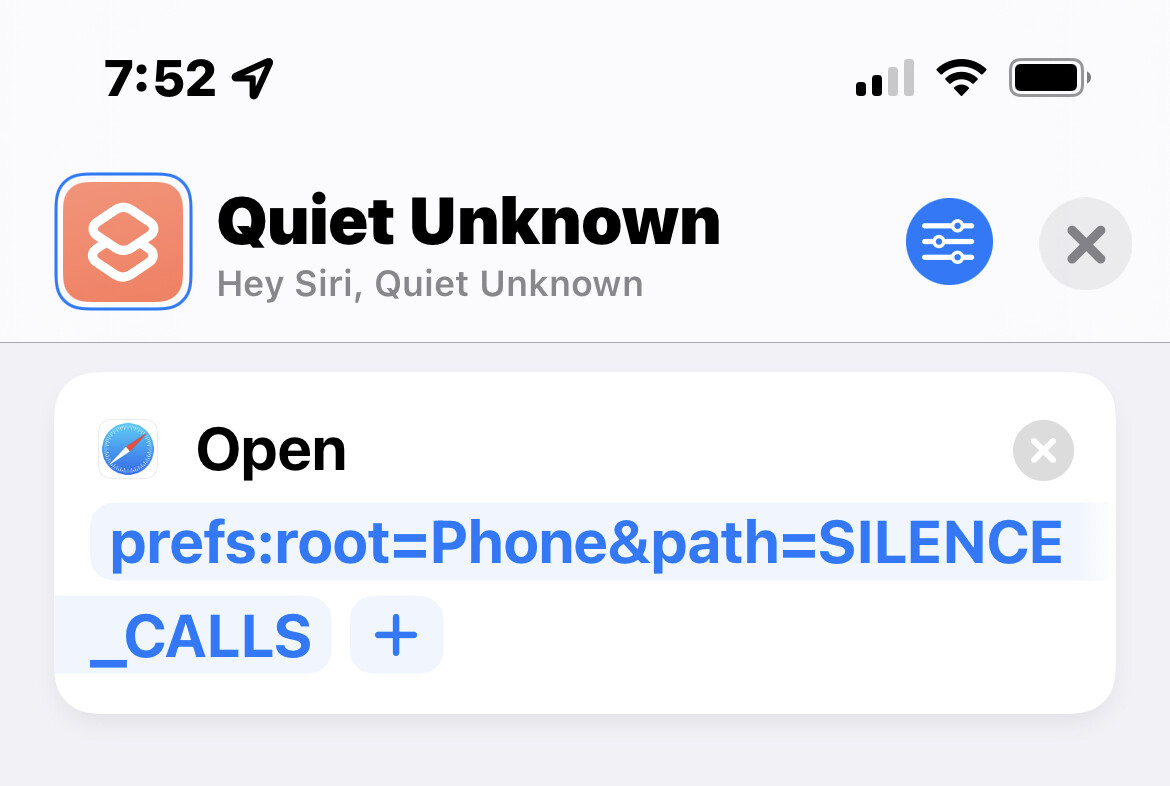
Silence Unknown Callers saves me from a ton of spam calls, but for when I need to turn it off, I just tell Siri to “Quiet Unknown.” It won’t toggle it on/off for me, but it will take me to the screen quickly where it can be toggled.
For someone reason, calling it “Silence Unknown” didn’t work (can’t remember why).
I figured out what I was doing wrong. I had Focus on from 9 am - 5 pm so most people couldn’t get through.
Nevertheless, it is SO nice to be able to chuck the spammers!
I find all this talk about letting the calls go to voicemail to be strange – I turned off voicemail (you can do that on your plan at the carrier here) probably more than 15 years ago. The phone just rings indefinitely as long as the caller does not hang up. I find having to stop what I’m doing to dial in and go listen to voice messages just as disruptive as unsolicited phone calls.
Since I’ve been just a normal salaried worker most my life I have had the luxury to “Silence Unknown Callers” and have no voicemail. What a life upgrade! Unfortunately this is probably not an option for those running their own businesses and so on.
I share the sentiment about the inability to similarly banish text messages, but there is a setting that helps a little: in the Settings app, under Messages, try Filter Unknown Senders.