I have an old CleanMy Mac account that I’m trying to cancel. However the MacPaw website doesn’t seem to have a “cancel subscription” link that I could find. Before I ask my credit card company to block it, I though I’d see if any Power Users could provide me with guidance.
Did you subscribe via the Apple Store?
No I didn’t. I purchased directly from the company.
Can you do it in the app? I know I cancelled mine some time last year and I don’t recall it being difficult.
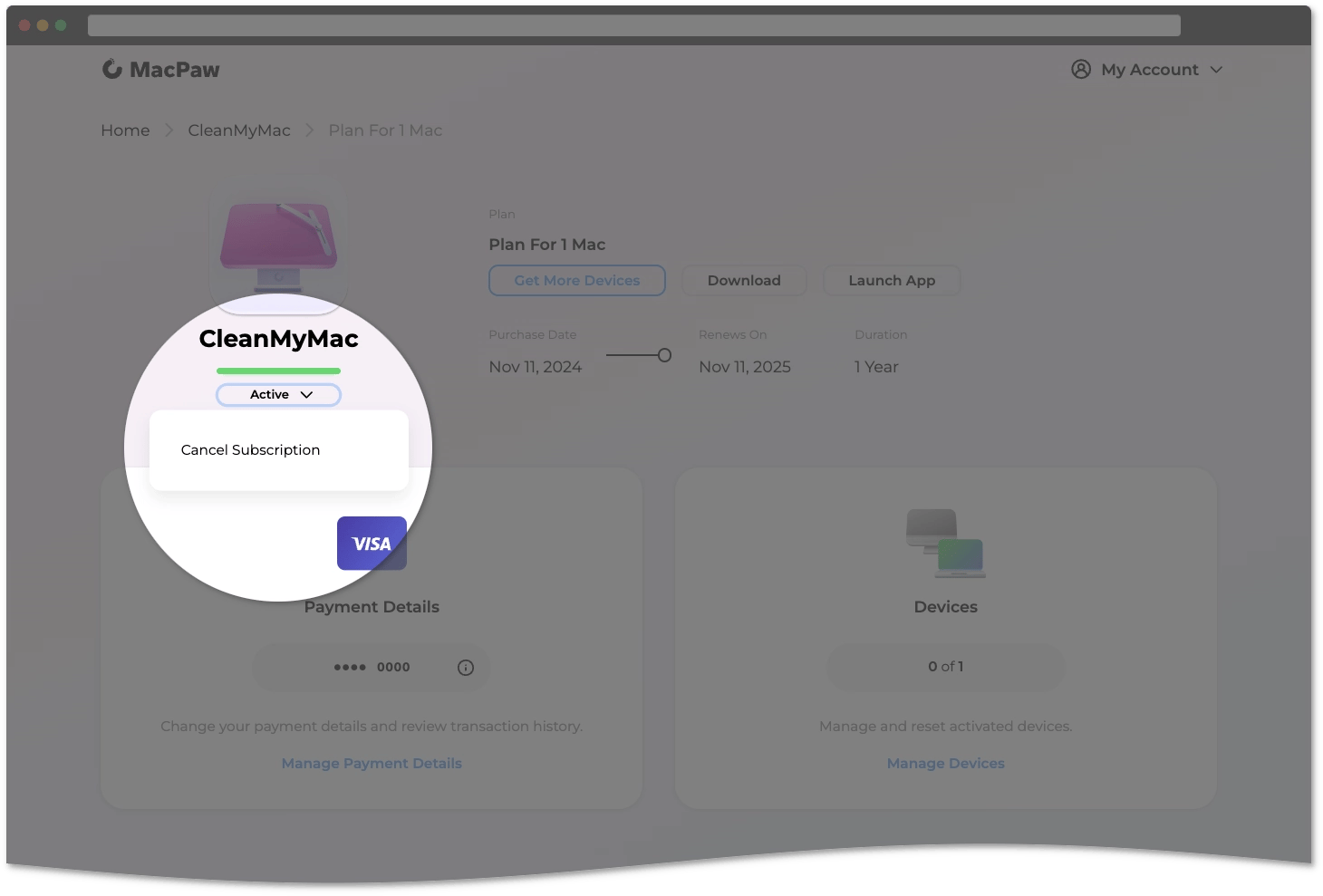
Follow these steps if you purchased CleanMyMac from the MacPaw Store:
- Sign in to your MacPaw Account.
- Choose CleanMyMac.
- Click the arrow below the CleanMyMac logo, then choose Cancel Subscription.
- Follow the prompts to confirm.
In 2–3 minutes, your subscription status will show as Inactive. If it still appears as Active, try refreshing the page.
1 Like
I think you should email company itself, regarding your issue. I’m sure that they’ll help you.
I had the same issue in December. 48 hours before my subscription renewed, MacPaw sent me a renewal notice with a substantial increase in price. I went to their website to see if I could figure out why the price had jumped so much, and, looking around, I realized that there was no obvious way to cancel. I decided to cancel there and then. (I would have trouble trusting any company that makes it so difficult to cancel a recurring subscription, especially a company that has access to every file on my computer.)
As I recall, I was directed to go to the Paddle website to cancel. Paddle also provided no way to cancel, and the Paddle chatbot simply sent me back to Macpaw. I finally emailed MacPaw customer support with the request to cancel immediately. (It was now merely 24 hours before my auto-renew). The nice person there finally canceled for me, but not before a couple of email exchanges offering me a better deal.
Again, I never had a problem with their software. It was their cancellation policy itself that made me decide I needed to get out.
Thanks so much. This should do it!
1 Like