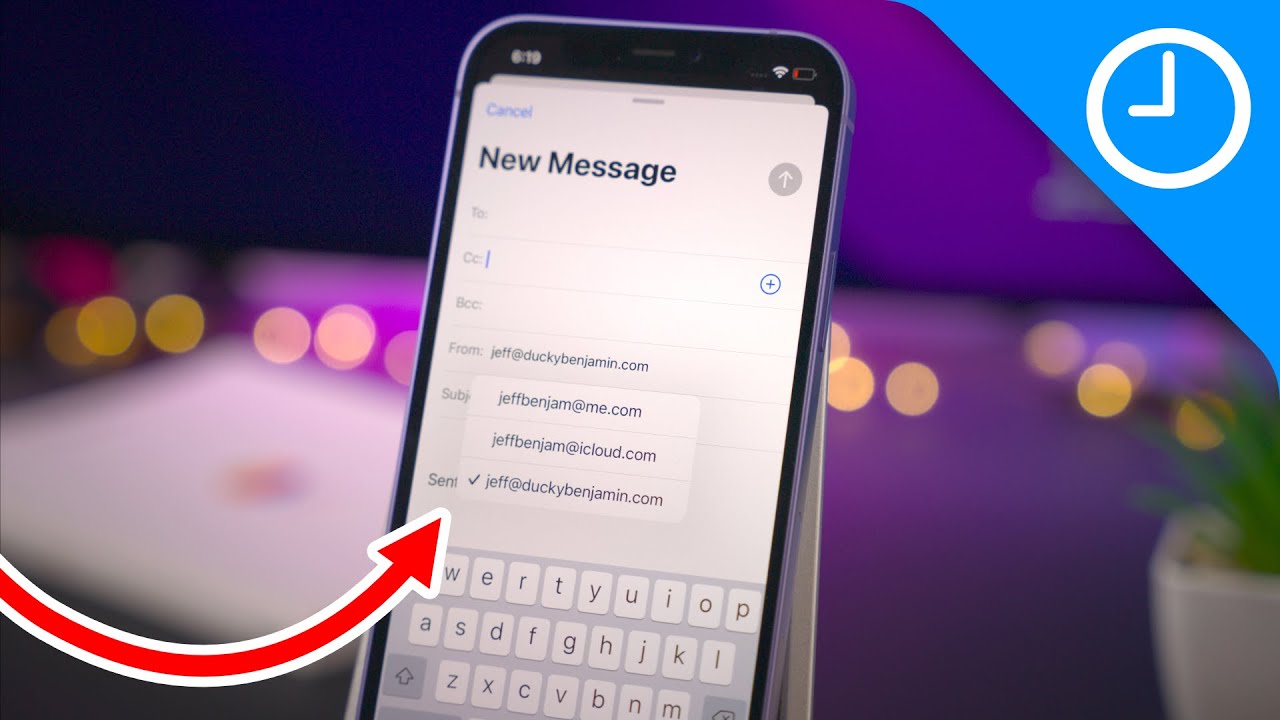
In my reply, the “From” field contained the email for my custom domain.
However, if I’m in my iCloud inbox and start a new email, the “From” field contains an address that ends with icloud.com, and it sends without getting the error message.
If someone writes me at custom domain, and I want to reply, do I need to make the reply come from icloud.com? Or is there something I can do to both send and receive from my custom domain?
The above, says to me, that your custom domain is just an alias for you@icloud.com so *you have to use your @iCloud address, with an app-specific password, to log into the Apple SMTP server.
Then you should be able to use you@yourcustomdomain as your return address.
I checked everything, but was still having no success.
My domain is hosted by Squarespace, and of course that’s where I was reviewing and confirming my DNS records while looking over the resources you provided.
I then noticed that Squarespace has started providing profiles for connecting to popular services, and iCloud was included. I deleted my old DNS records, loaded the iCloud profile, and I am now able to both send and receive from my domain via iCloud.
I guess I just needed to rebuild from scratch, and using Squarespace’s profile made it easy.