Hi MPU! How’s everyone today? Are these posts okay? If not, feel free to delete
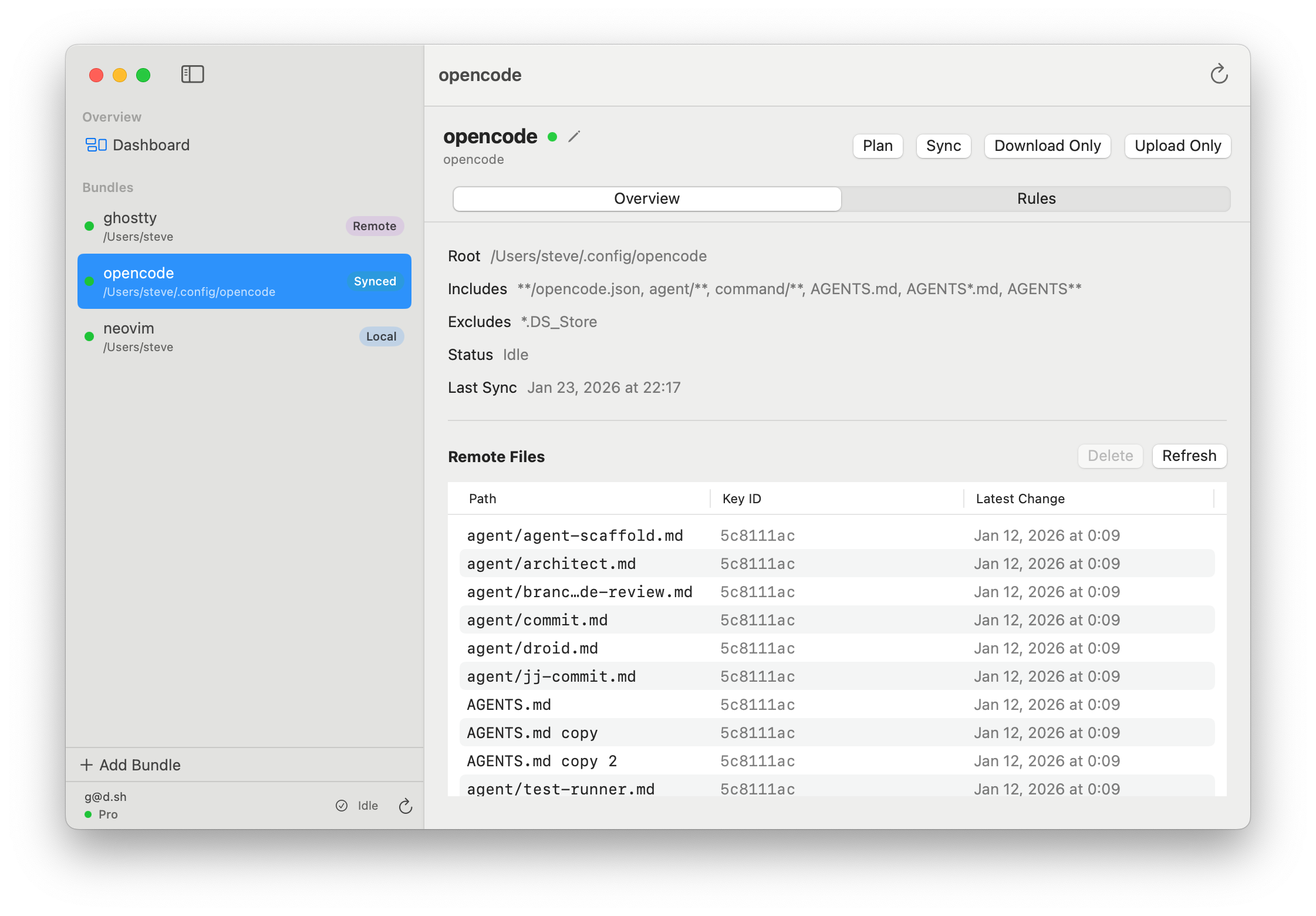
I built on a little macOS app that rethinks how we can sync application settings across Macs, kind of like the missing iCloud sync for apps that don’t support native sync. It started out as a personal tool that I used for myself for a while and I’ve finally gotten it ready to be used by others.
I thought it fits quite nicely into MPU because it’s very much a power-user tool.
It’s a native macOS app that handles config syncing with a focus on:
Zero Symlinks: It doesn’t use the fragile symlink approach that Mackup
uses.
End-to-End Encryption: Everything is encrypted locally before
it leaves your machine.
Native GUI: A “Time Machine” style UI to see version history and
rollback changes with one click.
It’s meant for people who want their environment synced across multiple Macs without making dotfile management a second hobby.
You can create bundles and set up sync rules, for example, sync all *.plist files in ~/Library/Application Support/<some application>/ and Configmesh will sync those whenever something has changed. You could for example sync your DEVONthink Smart Rules, your Xcode settings or whatever your heart desires.
Configmesh comes with a linux CLI to deploy your configs across servers as well.
The first version just launched with a subscription based backend (the free version includes sync for 1 bundle to try it out), but I’m already working hard on the next version that allows you to bring your own backend (Dropbox, etc) without losing e2e encryption.
Oh that looks handy! I always thought to write something like this but now don’t have to, will give a try soon. Any chance this can sync color palettes from the color picker also?
It should if you can figure out where the Color Picker stuff is saved. A quick google tells me it should be in ~/Library/Colors or ~/Library/ColorPickers, but I don’t have anything in those dirs because I never use the system color picker
One-time purchase with your own Dropbox storage (but no file history yet)
Subscription with your own Dropbox, or included ConfigMesh storage (with file history)
Both variants come with a free tier that allows you to sync 1 bundle (aka 1 application or 1 folder) with 10 files in that folder. So you can try out both versions without needing to pay for anything
There are some caveats: Dropbox is a good bit slower than ConfigMesh backend because a lot of optimization can happen when using a server in the middle. For Dropbox, ConfigMesh will hit the Dropbox servers directly, meaning it will need to do more of the logic by itself one-by-one.
Both variants are fully end-to-end encrypted, so you can only decrypt the files with your key.
Pricing changes
I agree, it was too expensive. I dropped the price of the subscription from $5 → $1.99 (or $50/y → $19.99/y) for now, until I can add more functionality that might justify a higher price tag.
The one-time variant is priced at $15, but I added a promo period of 7.45 (50% off)
What’s next?
Dropbox backend is a v1. It works, but I want to iterate on it and make it better and more stable.
Support for the Dropbox backend will land in the CLI in the next version, hopefully by this weekend.
I want to see if I can bring version history to Dropbox as well, but that’s a bit more difficult due to the points mentioned above.
Please let me know if this made the app more attractive to people here
Dropbox has a small free tier that’s perfect for tiny config files that are max a few kb in size
The APIs are platform agnostic so we can also connect to them from the ConfigMesh CLI, for example from Linux machines
For iCloud there are 2 flavors: iCloud Drive and CloudKit
iCloud Drive is the one that makes files appear in your iCloud Drive folder, it counts against your storage quota and works basically like this: We put the files into the folder and hope that the OS syncs them when it feels like it
CloudKit is the one that’s invisible to the user and doesn’t count against the users storage quota (afaik). It’s much more similar to a database, so a lot more control and reliability
For ConfigMesh (and apps like DEVONthink), CloudKit is the way to go to not deal with sync issues and drift. But that’s not so much “bring your own storage” anymore, and I’m not sure how easy it is to connect to it from the CLI.
I think iCloud still makes sense to add as the next storage provider, but going with Dropbox as the first one was a lot easier with less headache. If enough people request iCloud, I will add it next.



 best description I’ve seen yet