With the next macOS update, Intel-based apps will no longer be supported  I just got the message about nvALT which I use heavily for my plain text notes hosted on Dropbox. A little googling exposed nvUltra which will hopefully be made available before the next macOS update? Just wondering if anyone has heard anything as I will be needing some kind of replacement for the Mac side of things. This is going to be painful as there are quite a few apps I use that will no longer be supported.
I’d stay away from nvultra. It’s been in development for 7 years without an official release.
FSNotes had been mentioned as a successor to nvalt
It is possible to rebuild a new version in Claude Code or some other AI.
Of course you can always not upgrade to the next version of macos. I’m sticking with Sequoia until the OS26 debacle sorts itself out.
3 Likes
Out of curiosity I asked Claude AI about updating it which it said used to many deprecated/dead dependencies. However it then said:
If your goal is nvALT’s workflow (instant search + plain text + Markdown preview) rather than this specific codebase, it might be faster to ask Claude Code to build a fresh SwiftUI app with the same UX. The core functionality — full-text search across a folder of .md files, live preview, keyboard-driven navigation — is maybe 2–3 days of focused Claude Code work from scratch, and you’d end up with a clean, maintainable codebase.
This terminal command will list all the Intel apps, that are likely not to be supported in macOS 27 macOS 28 if Apple follows through.
system_profiler SPApplicationsDataType | grep -B 5 "Kind: Intel"
or, run this terse version, and give Claude the resulting list, for advice:
system_profiler SPApplicationsDataType | awk '/^ {4}[^ ]/{app=$0} /Kind: Intel/{print app}' | sed 's/://g' | sort
Many apps are using Rosetta unnecessarily.
Katie
1 Like
FSNotes looks promising but only supports iCloud. Dropbox is much preferred for several reasons (iCloud can be a pile of hurt for certain things). Good to know about though - will check it out.
ouch!
system_profiler SPApplicationsDataType | grep -B 5 "Kind: Intel"
    FilterPixel:

      Version: 4.1.1
      Obtained from: Identified Developer
      Last Modified: 3/10/26, 11:50 AM
      Kind: Intel
--
    SomaFM miniplayer:

      Version: 1.2.0
      Obtained from: Identified Developer
      Last Modified: 4/6/24, 7:02 AM
      Kind: Intel
--
    GitHub Desktop:

      Version: 3.3.13
      Obtained from: Identified Developer
      Last Modified: 4/6/24, 7:21 AM
      Kind: Intel
--
    fax:

      Version: 5.33.0
      Obtained from: Identified Developer
      Last Modified: 2/23/21, 7:12 AM
      Kind: Intel
--
    rastertofax:

      Version: 5.33.0
      Obtained from: Identified Developer
      Last Modified: 2/23/21, 7:12 AM
      Kind: Intel
--
    VLC:

      Version: 3.0.21
      Obtained from: Identified Developer
      Last Modified: 9/6/25, 9:27 PM
      Kind: Intel
Check to see if any of these have a silicon update. For example, GitHub Desktop has a silicon version.
Katie
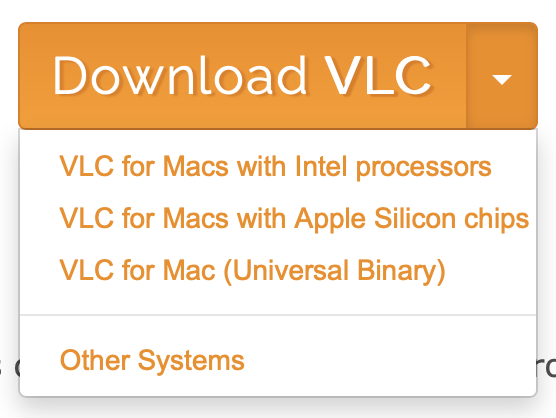
VLC as well:
Have you seen The Archive? It’s an nvAlt successor under active development and there’s a nice Zettelkasten-centric forum supporting it.
The forum is at https://forum.zettelkasten.de. The app can be downloaded from The Archive (macOS) – Note Taking: Nimble, Calm, Plain.txt • Zettelkasten Method.
It’s $20, no subscription. Lots of good thoughts about learning and knowledge management in that forum. For my purposes, the money supports a good cause.
Edited to add - it runs on my Apple Silicon Mac Mini without Rosetta, so I assume it’s safe for the post Intel era.
4 Likes
I guess it should be macOS 28, Rosetta is still available in macOS 27. So the next version will still be able to run Intel code. After that there will be some limited support for old games.
Rosetta support for apps will end after macOS 27:
https://developer.apple.com/documentati … es#Rosetta
2 Likes
Continuing @svsmailus’s line of thought for those intrigued, there may be some value in this approach.
The author here used Claude to build their own Markdown viewer.
https://sockpuppet.org/blog/2026/05/12/emacsification/
I think the key thing that would make this option reasonable is whether there is one or more features you find missing or could be done better (according to your tastes) among pre-existing software and whether you can justify the time and effort needed to vibe code your own app.
Nice! Looks like a great alternative, and I don’t mind a one-time purchase. 60-day free trial available and works with Dropbox. Will check it out (I can’t live without my plain text notes!).
I agree with this recommendation. The Archive is a worthy successor to the original NV.
With regard to NV Ultra, I have not seen it myself but a colleague is in the private beta and tells me that it seems to be in good shape. I am happy with The Archive, personally and doubt that I would want to switch.
1 Like
I also had a look at The Archive after the suggestion in this thread - and I’m blown away. Reminds me of the OG NVAlt. Now I’m trying how to fit it into my current workflow. Seems like I’ll be relying on Obsidian less.
I recently bought a MacBook (my first one - always just had mac desktops over the years and love it to just remote into my main mac), so I had to install my most-used apps including nvALT. With Dropbox integration you’re limited to only 3 connections (which of course were already used up) so I needed to find an alternative. In this journey I found CloudMounter and been using that for the past few weeks on my MacBook, but just recently heard about Maestral (open source Dropbox connection) https://maestral.app . Maestral works so much better - super fast, no duplicates/sync issues with nvALT that could occasionally happen with CloudMounter. Highly recommend (and it’s free).
Just wanted to share in case this helps someone needing another way to connect to Dropbox.
1 Like
Have a look at Typora for Mac. I use it with 1Writer on IOS.
Regularly updated. Works v well
1 Like
Nice … I like how it works on up to 3 devices including Windows:

That would be handy for my Windows VM.
Another vote for Typora! It’s starting to be my go-to app for writing shorter documents.
Typora works well with pandoc for converting document formats, import and export.
One more nice thing about The Archive. I just discovered it doesn’t use a database or indexes. Things that could break aren’t there, which kind of reminds me of Robert Heinlein’s technique for surviving nuclear explosions. Don’t be there when it happens.
My life would fall apart without Devonthink. However, for a project like Markdown notes supporting a book outline, The Archive has potential.
One could always use indexed locations (good old MacOS folders) in Devonthink, using The Archive for a lean-and-mean entry and search utility. Possibilities abound.