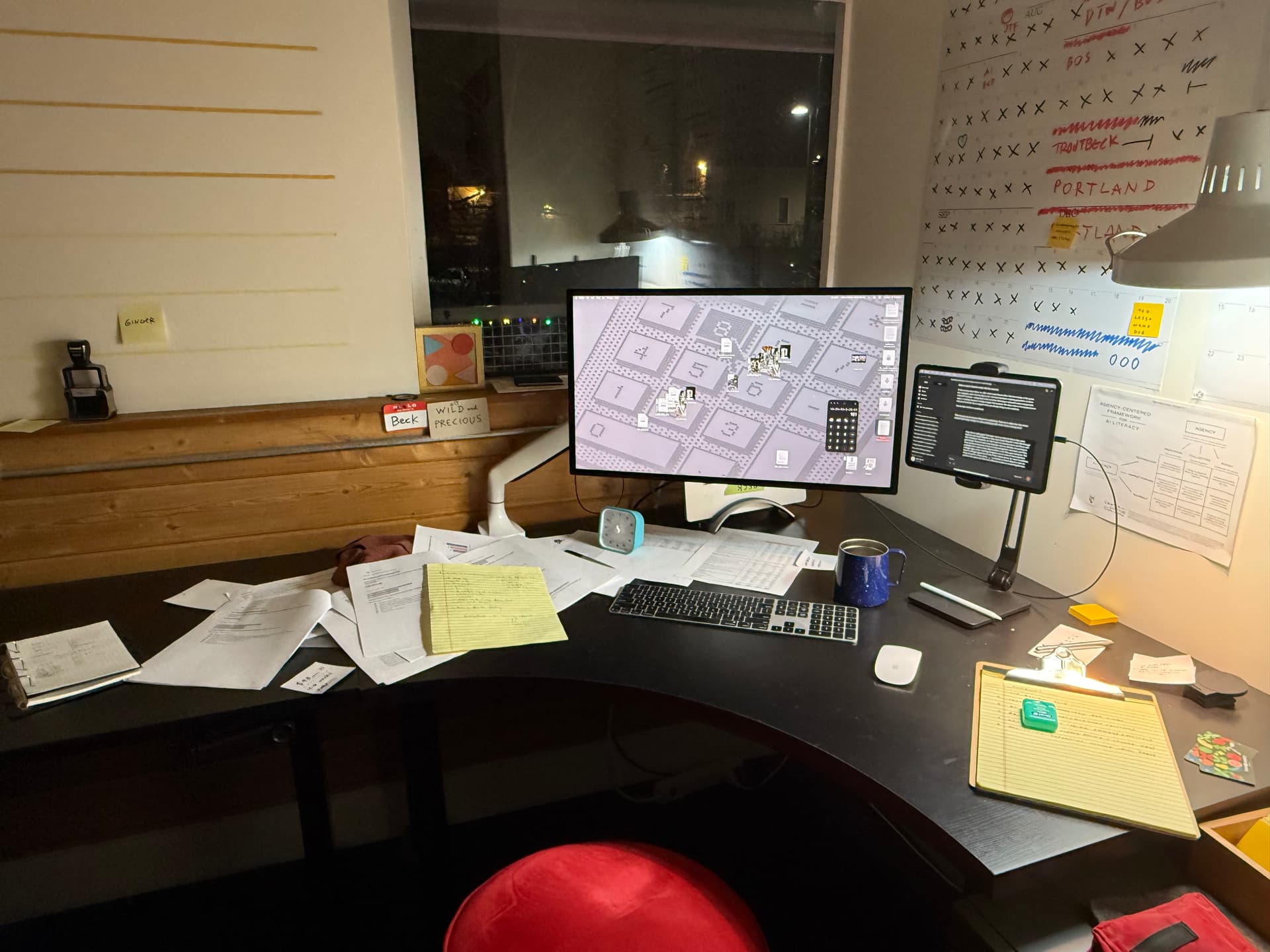
It’s work laptop refresh time. My current setup is a MBP 14-inch, 2023 with 32GB of ram and 1TB of HD space (710GB still available). I use an external studio display running sidecar with an iPad most of the time with Claude at the ready. Here’s a very messy pic of my office to give a sense:
I bike/walk for my commute and I travel about 100 days out of the year and am a light packer. For these reasons, I am very drawn to a lighter machine, but I also am reluctant to give up the security of having a powerful laptop, especially because I anticipate using it for the next three years.
I use Photoshop/Illustrator weekly (but not daily) and when I do the files are sometimes complex. I am starting a podcast at work and we’ll be recording with Riverside. I’m unsure if we’ll be doing the editing or if someone will do that for us, but I’d like to be able to just in case. I’m an AI “power user” in that I experiment with AI agents doing things on my computer. Right now my tools are cloud-based, but I could imagine running a local model in my experiments or as the local models get better. All that said, most of my day-to-day work is a mix of Apple Mail/Notes/Safari, Office Suite, Google Docs, Slack, and Claude.
My wife has a MBA and I am super jealous of how light it is (the laptop and also the brick, which has two USB-C ports, which is also nice for travel). My favorite laptop I’ve ever had was a MBA (circa 2011), hands down, but I do recall running into space/speed issues after a while and getting an iMac to compensate.
So, with the caveat that this is embarrassingly silly to be fraught about in the grander scheme of things, still… I’m torn.
If you’ve read this far, I’d love advice:
I’m leaning toward the MBA. Talk me into or out of it?
A small wonder: Worth looking into a Mac Mini + MBA setup?
I don’t see running two external monitors in my future but I do find myself using up a lot of ports on my Studio Display. I don’t think this would be a problem with the MBA but want a gut check there.
I’ve not had success with using an iPad solo on trips. My current model is a 3rd gen iPad Pro 11" (circa 2022). Are the newer models more capable of being a travel machine?
Beck - Like you my wife owns a MBA and I’m envious of how light it is. I have a MBP M3Max 64GB. I wish it were lighter.
In terms of the work load, how often do you have the fans on? That is the workload that needs the more powerful CPU/GPU for longer periods of time. (This isn’t a very good metric, just a gut feeling.)
I suspect the key question is going around local LLMs. I suspect my next computer, aiming M8 generation will have 128GB of RAM, because I frequently run out of RAM bigger local LLMs. Also running a local models is what needs more GPU cores. see: M3 Max Memory and Bandwidth - #11 by mlevison and M5 and local models - #5 by johnlaudun
This is what I’m running currently. I have to say it’s the best of both worlds for me. I have power at the desk that I can either use directly or remote into when I need it. Everything is backed up on the Mini and I use an Air for lightweight stuff when I’m out and about, or traveling. It’s perfect. The M4 in the Air is super capable. You’ll be able to run everything you want, it might just be a tad slower at rendering things out in Logic, Photoshop, etc… But I don’t notice much lag with anything on it.
M4 Pro Mac Mini with 48GB RAM and 1TB SSD.
M4 MacBook Air with 16GB RAM and 512GB SSD
I tried this route albeit with an iPad Mini 7 and ran into nothing but headaches. Everything I did took longer and I just don’t really enjoy using it for actual work. As a notebook / reading / gaming machine it’s great.
I’d frame my questions this way if considering a transition from a 14" MBP to a (new) MBA
Do I loose any form factor? – DEPENDS! The overall size can be larger (15") or smaller (13").
Do I loose any computing power? – DEPENDS. Nearly three years on now from your 2023 MBP, I would think that you should be able to spec a new MBA to be comparable in CPU power and RAM size to your existing MBP.
As to the combination mini + MBA, I’d have to wonder why. You appear to keep your MBP closed on your desktop rather than using its screen. Presumably, you’d do the same with the MBA??? If so, invest in a high end (larger size, largest amount of RAM and SSD) MBA rather than a dual setup.
Finally, confirm that the new 15" MBA is not the same weight or heavier than your current 14" MBP (doubtful, but this appears to be the primary reason why you are being tempted to change).
Do you have the M3 Pro MBP? Or the base M3 MBP? Or the M2 Pro MBP? Etc… That will determine whether or not an Air is comparable.
I’d suggest at least waiting for an M5 MBA.
I’d also seriously consider whether or not the additional port on the right hand side and the bright screen of the current 14" MBP is valuable to you or not. I would be very hesitant to lose those two features personally.
There are benefits of either options. I favor the light, travel-friendly option, possibly waiting for the M5 Macbook Air. You could get maximal RAM to run some local LLM’s. And you could add a more robust desktop later, if running larger local models becomes important.
Exactly. I have a 14” M4 Pro MacBook Pro (and a 16” M3 Pro before it) and the fans only really spin up if I’m doing video transcodes. A modest AI load on the NPUs from DxO PhotoLab will only get them going if I’m doing something like 100 photos in a batch.
Performance-wise, from what you described, I think the difference between a MBA and MBP will be unnoticeable to you.
What will be noticeable is the stuff that the MBP gets that the MBA does not.
More ports (though this can be solved to some extent with docks/hubs)
Higher RAM and SSD options (you can add external storage, but if traveling, it’s just an extra thing in your bags)
Much nicer screen (though if you’re fine with the Studio Display, then not a biggie)
Higher sustained performance if you do tax it, as a MBP has a fan
Possibly more I am forgetting.
I wanted 4TB internal SSD. Therefore I have not only a MacBook Pro but one with an M4 Pro chip because the M4 plain does not support it.
Hi, If your main apps are cloud-based and your Photoshop or Illustrator use is occasional, the MBA should be more than enough. It’s light, portable, and perfect for travel, plus M2 handles AI experiments surprisingly well. You might miss some ports compared to the MBP, but a small USB-C hub solves that easily. For your use case, I’d go with the MBA—it’s a great balance of power and portability.
My needs are likely a little unique. 80% of the time I’m working at my desk, but the other 20% I’m either in another room in my house, or on site somewhere for work. So I can’t have just a desktop. But it makes my life easier to have an “always on” Mac. So I compromised, and got a capable desktop and a competent laptop.
The primary use case is automation and backups.
Running backups on a MacBook that is being connected and disconnected constantly was more of a pain than I liked. I need a good bit of storage (>4TB) for video/graphic work. So I would have to remind myself to leave it plugged in at times to finish a Backblaze backup, or make sure all my photos had been downloaded. It was a chore. Where as now I just have the MBA in my bag ready to go, and the Mac Mini can sit there and do its thing.
All that to say, I remote in to it rarely, but when I do it’s usually because I forgot to move a file into cloud storage, or sometimes I will be working on a video project and it’s just faster to open on the Mac Mini. Due to it being on an external drive, or if I have slower network speeds and it’d take ages to download the footage. So I’ll remote into the Mini, cut a piece of footage, and re-render it out.
That said the MBA is more than capable and I could definitely just live with it. But I like the convenience of automations with a desktop + laptop setup. Plus with my storage needs, it would cost an arm and a leg for a MacBook with enough storage. So I did the math and decided Mac Mini with external storage + MacBook Air was a more cost effective route and it gave me everything I personally wanted in a setup.
If I had unlimited money and could actually get a MacBook Air with 4TB of storage and 64GB of RAM, I’d still want to have a Mac Mini or some desktop Mac for the always on automations.
I hope that helps clarify my position a little bit.
Just to be clear. You remote in for two reasons. One is to get a file that is on the mini. In this case, the mini is solely a file server. The other reason is to run an application in the background on the mini. In this case, the mini is akin to a background cloud computer.
You do not remote into the mini to run an application in real-time, i.e. to benefit in real-time from the greater power on the mini vs the MBA?
I do use applications in real time with Jump Desktop. I remote in to edit a production video file and then render it out. I don’t stay logged in to render but I am editing and using After Effects, Final Cut, or Premiere in real time.
Just for info, I am considering options akin to the OP, but moving from a high-end i9 MBP. I am specifically weighing concerns about trading off for a lighter MBA while also getting a desktop mini or studio for remote power even in real time.
I don’t think anyone can answer this question for you.
The only suggestion I have - can you somehow test a MBA and see if it actually works for you in your specific use cases?
Either a rental (if available), or a purchase with a strong possibility of returning it within the allowed window (if you are comfortable with that).
Given you plan to keep it for a medium to long term, the short-term logistics of fully testing it out might be worth the brief hassle?
FWIW, my desktop computer is a M1 Mac Studio and my second desktop/portable is a M3 Macbook Air. I do video editing (YouTube channel) and photography in addition to regular productivity work, and have found I can do everything on the MBA fine.
Both have an external Mac Studio Monitor connected, but, of course, YMMV.
In all honesty, the more I explore where my future plans are going (being recently retired), the more I am deciding that I will likely need zero remote options if I get any new M-chip laptop (MBA or MBP) to replace my current laptop i9 MBP.
One consideration for me is to retain the ease of touch-typing versus dictation. This favors a laptop over an iPad. The second consideration is to retain a large screen format. This favors getting a screen+footprint no smaller than 15", perhaps even retaining a 16" screen+footprint (going down in screen size, even a small amount, is tough). Another consideration is to have some source of extra CPU power when I want to work on projects that demand serious coding for high power data analysis using for example a 4k external monitor. This favors a) having a mini or studio in addition to an MBA or b) getting a new MBP versus getting a new MBA. A final serious consideration is that one of the apps that I will continue using requires an Intel processor. This factor actually favors me not replacing the i9 MBP at all (until it dies).
Ultimately, I suspect that I will hold on to my i9 16" MBP (as noted above, until it dies). My next purchase will be a mini or studio to set up at a desk in my home office. The only need to remote-login from the i9 MBP to the M4/M5 mini/studio computer will be when I want to run apps that benefit from AI options built-in to the M-chip macOS (the Intel chip cannot do built-in AI). An example would be using DevonThink to run local macOS-AI compilations on a database of PDF files.
In summary, the reason I asked @kennonb for fuller details on his two-machine setup was specifically that wanted to know if he did anything with remote login to gain more CPU power. Now that I know that remote login can be done successfully in practice, I am more confident in my choice to get just a mini or studio and not upgrade my current MBP. In some sense, I slyly hijacked your thread.
The upside of this is that, maybe in your exploration of getting two machines (MBA and mini), you might also ask how often you truly will need the extra CPU power of having a mini AND an MBA versus just getting the highest power MBA you can afford. Essentially, while @kennonb has demands that appear to truly warrant him having two computers (an MBA and a mini), are your computational needs really to that same level?
I’m getting bored with my 15" MacBook Air and was contemplating get the new MBP when it comes out to do something different. The only feature I miss from my previous MBP is the screen quality. Otherwise the Air has been good and there’s no rational reason for me to want to change. I suspect if you max out the RAM you’ll be perfectly fine on the MBA and I suspect if I switch to the MBP I’ll wish it was thinner and lighter by about the 2nd flight. (I don’t travel nearly as much as you but still a fair amount.)