I keep hearing comparisons of the Vision Pro to the introduction of the Mac and iPhone, but it just doesn’t feel like it to me. We are immersed in technology more so than we ever were, and this feels like a small step in an already computerized world. I know it’s too early to tell, but I don’t think it’s as much of a paradigm shift as people want to make it out to be, because we’re all a bit fatigued by new technology releases. I feel like this is an intermediary step between smartphones and AR glasses. I think AR glasses should be the next step after the smartphone. The Vision Pro is an experimental step to that, but not a paradigm shift in my opinion.
Please let us know how this works!
1 Like
Which is so odd for a product they priced so that pretty much no one will buy. I guess it’s more to promote the brand and so people think Apple is cool and innovating? The Apple-haters are going nuts over this thing of course.
2 Likes
IMO price wasn’t a major factor for most of the people that have placed an order for an AVP. This is the debut of what Apple hopes is the future of computing.
I have zero respect for any technology “haters”. I had to mix and match hardware, software, and services for my employers for years because no company is the best at everything.
When it comes to Apple and especially a product like the Vision Pro, the rabid haters think anyone who says anything positive is a fanboy, and the raving fanboys think anyone who expresses any skepticism is a hater. They’re both deluded by their blind certainty about the future.
I think there’s a very good chance the bets Apple is placing with the Vision Pro will pay off, especially given their track record, but at this point I don’t yet know. No one does.
I have never understood the haters, but I usually find it more funny than anything else. I just get sick of the sheeple thing, as if Apple makes inferior products and we just buy them as a status symbol. Or the walled garden argument, I use a device in every category, the biggest limitation is 3rd party apps only support one platform.
Anyway, UPS is playing games with my VP. Usually things are out for delivery by 8am at the latest, not today. It was stuck at the hub until a few minutes ago. And they changed the status to “Rescheduled Delivery…”, but it’s still scheduled for the exact same time it originally was. At least Apple doesn’t use FedEx, they are usually much more unreliable for me.
Edit: Of course UPS is now past their window they said they were going to deliver it and the truck has literally driven by house 3 times now. This isn’t unusual though, this is standard operating procedure for them. I am getting a bit antsy now. 
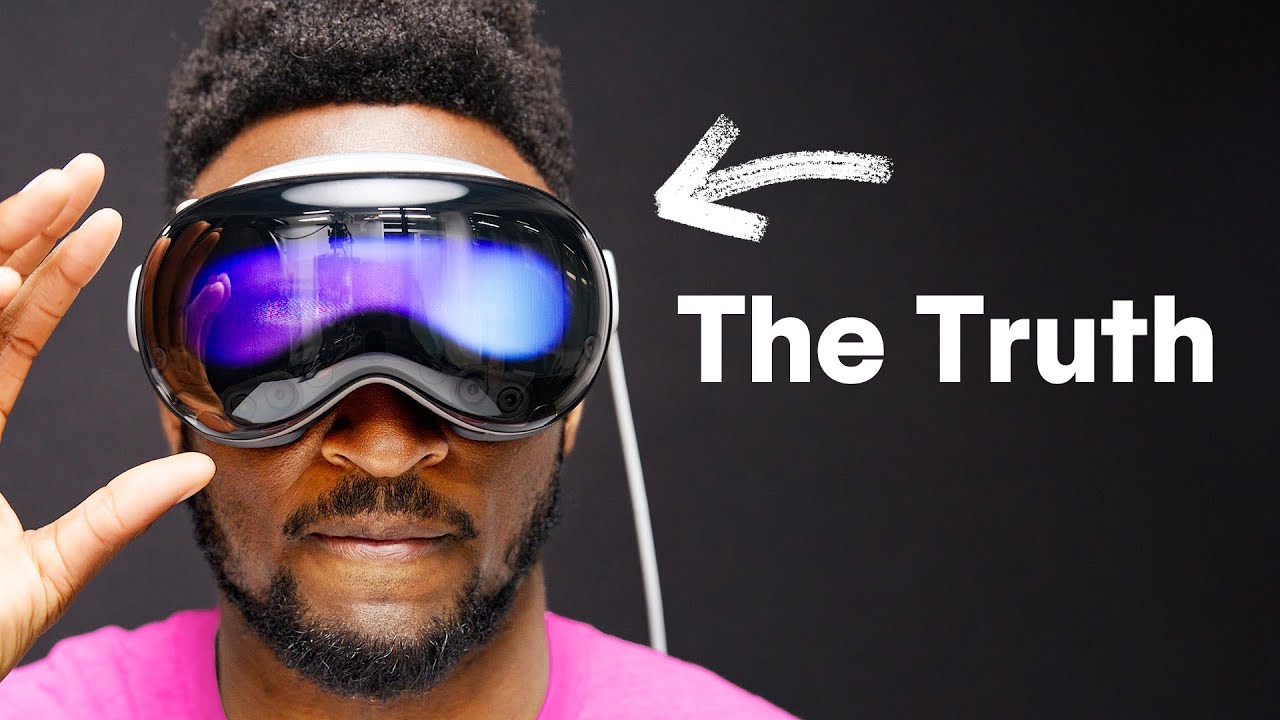
And here’s the MKBHD review:

YES! YES! YES!
Ken was about 28 years too early.
Electro-optic vision systems
Abstract: An image processing system for producing an augmented image of a real world scene uses an image capturing device that captures a digital image of the real world scene and uses a database of real world scene information. The system includes the storage resources that locate the selected real world scene information in the database using information from at least one of a position determining device for determining a real world position, an attitude determining device for determining a real world attitude, and the image capturing device. The system also includes a video interface chipset for receiving data from the image capturing device and transforming it to a format used by the data processor. The system processes the digital image of the real world scene and the selected real world scene information to form processed data that represents an augmented image of the real world scene.
Type: Grant
Filed: August 2, 1996
Date of Patent: May 16, 2000
Assignee: GeoVector Corporation
Inventors: John Ellenby, Thomas William Ellenby, Peter Malcolm Ellenby, Kenyon E. B. McGuire
ps That was just the first of several patents…
3 Likes
So I have worn them for about 2 hours. They are pretty rough out of the box, but some issues might be because of my glasses/inserts, not having a store fit, or just me. Random thoughts:
First off the hardware is nice, really nice, it feels like an Apple product. It feels and looks expensive. The braided cords, magnetic inserts, the way the dial feels etc.
The software is a bit rougher. There isn’t much onboarding and some of it was confusing. Like after it set up my inserts it wanted me to do something where it was showing a dotted image of the lens and a solid image. I was supposed to do something to merge them into one on the screen. I think? I really don’t know what it was doing.
Then it wants to sync with your phone, so it wants passwords etc, but while wearing it Face ID doesn’t work, and it was extremely frustrating trying to enter long passwords from my phone. Pick up phone, wait a few seconds for Face ID to fail so I could enter my passcode. Repeat with 1Password. Trying to read passwords from my phone wasn’t easy etc. After a couple of failed password attempts I was getting frustrated with it.
Then once you are in, there isn’t much there. Most of the apps didn’t sync by default, so I was opening Safari or Mail and nothing was there. So I had to go in to iCloud and turn everything on one by one. Not difficult, just not very Apple like.
I watched the dinosaur thing. I hate bugs, and the butterfly landing on my hand it was hard not to flinch, even if it does look less real once it lands. The dinosaurs were cool, and they come up and look you in the face, then get in a fight etc. Cool, but shorter than I expected.
I went into Apple TV and watched part of some show where they were on nature preserve for rhinos. That was pretty amazing. Some of it looks weird, but the rhinos coming up to you as they eat was cool. One thing I didn’t think about: you can’t eat/drink. I had some potato chips and beer and pretty much had to stop drinking/eating while watching. (I didn’t play with the dial to see if that would let some real world inside like it does in other apps.)
One thing that caught me off guard is there is no peripheral vision. What you are looking at is in focus but most nothing else was. With my MBP open it made it more difficult to use it because I really had to move my head a lot. Which leads me to the other thing. I had to adjust them to be much higher up my face than I expected. Once I figured this out, everything was better. You still have to move your head around a lot though.
Mediation was really cool, but the control panel arrow (which only appears when you look up) kept appearing when I wasn’t really looking up. This was a common problem.
Then I remembered I needed to run the update. It took 5 minutes or so? The screen went black, so I thought it was dead. Then it started going a lighter shade of black, so I could tell it was doing something. The the Apple symbol appeared and it rebooted. It seemed slow though and I was worried there was a problem.
Then I just opened everything. Excel is unusable. Cool they did an app, but it makes the iPad app look easy to use (it isn’t).
Safari/YouTube, not really fun using an interface made for a mouse with your eyes. I could look at a button, but if my eyes wandered slightly I would end up clicking the wrong thing. I kept moving forward or back when I didn’t want to in videos. Sometimes the corner thingy to resize the window would show, sometimes it wouldn’t. I found using Safari very frustrating. Siri did not help. Since typing is slow I figured I would use Siri to search for “vision pro light leak.” But after numerous tries she kept entering it as “vision pro white week.” But I couldn’t figure out a way to select the text all at once to delete it and start over. So I would have to look at backspace and keep pinching my fingers and then repeat.
Everything has a learning curve, and the interface showing up was inconsistent at times.
Passthrough camera was awesome. A very slight delay, but nothing to worry about. I was walking around with them on and had zero problems.
The fit: I have light leak around the nose. Apples support site said some is normal. The way it works I can’t imagine it being perfect for most people. It’s a light piece of fabric that goes over your nose so it is not a material that will hug your face. What annoyed me the most though is I was getting light reflection from the screens on the inserts. Almost like the inserts were dirty, but they aren’t. That might be normal with inserts, or my maybe because I have pretty thick inserts (I was surprised mine were accepted).
The knit band thing I had to really crank down to get the VPs to stay up. So much it made my head hurt (literally my scalp felt like it was getting pins and needles). The over the head thing was much better for me. For me, to say the AVP is too heavy is inaccurate. The weight didn’t bother me, but the straps have to be tight, and they get uncomfortable, that was my issue.
After two hours and then sitting at a computer everything on the computer looks so sharp and clear. Again that might because my inserts aren’t perfect, I have no idea. Things aren’t blurry on it, but they aren’t sharp either.
11 Likes
Why can’t you eat or drink? Your mouth isn’t covered.
1 Like
I think this is my favorite experience report so far. Lots of interesting little details. Regarding the prescription and fit, how sure were you of it when ordering?
3 Likes
LOL no, I couldn’t see anything. On other apps you can dial in the real world so you can see around you, but I didn’t think to try it because at that point I had forgotten that was a thing. It doesn’t give you much info at all on how to do stuff other than the basics (pinch, drag, etc). The Apple TV app was the first app I tried where everything around you goes away. When the rhinos are eating grass, they are close enough to lick your face.
I think all the media previews had people guiding them. But I didn’t have that, just what I had seen in previews (and forgotten). There is nothing guiding you and a lot of stuff isn’t obvious. For instance if you press the top left button you go into photo mode, but I don’t know how to exit photo mode. There is nothing showing how to exit. There is nothing to look at to exit. I still don’t know how to exit it. Pressing the button again just takes a picture. Holding the button starts a video.
That’s a difficult question. I wear progressives when I am out and about, but I hate them. I wear computer glasses at home which gives me a focal distance of about 2 feet. Apple’s support site said to enter your progressive prescription, they take that into account, so I did. I think the light reflection I see is just because the inserts are pretty thick. I think the curvature of them is picking up the light of the screens (my guess). It’s not horrible, but I notice it. I turned off all the lights in the room and still saw it, so I know it is not light leak.
The sharpness isn’t bad, but it’s not like looking at any modern screen. It’s more like reading text on a 1080p TV. It’s fine, but as soon as I sat in front of a monitor again I noticed how sharp a real monitor is.
3 Likes
One thing that stuck me as well having never used VR. If this is high resolution compared to everything else, everything else must be really bad. Again this might be my prescription issue, but I can’t imagine using something with lower resolution than this. And the pass through cameras sound like they are really good compared to everything else. I have been thinking about getting a Valve index, but after using this, it sounds like it would be a huge step down. Although, they should have found at least one cool, but basic game to throw in. There is stuff in the store to download, but I didn’t spend a lot of time looking yet.
2 Likes
I experienced the half-hour demo for the Vision Pro at my neighborhood Apple store. I was very impressed. My prescription lenses were scanned as part of the fitting process. The images were all very sharp. The Apple reps kept saying that my fit was REALLY good, so I might have been an anomaly. Oddly, one of the reps told me that most of the people who were interested in the Vision Pro were older (“As old as you are, or older”, as he put it.).
In reply to RunningBoris…I believe to close out the photo app you have to peer down at the bottom of the screen where an X appears.
I’m signing up for a demo just to find out what they think of my goofy eyes.
I think you are meant to pair your inserts with the VP using a number contained in the packaging. Have you completed this step?
Yep, did that, you scan a code. Then it had a picture of the lenses and an outline of the goggles (or the other way around) that I had to line up, but not sure what I was supposed to do. I did something to complete it, but not sure what.
It makes a big difference of how you wear them too. I heard in a preview that they need to sit higher on your face than you would expect, and that seemed to be true.
As far as how sharp it is, the dinosaurs were very sharp, but text isn’t like looking at your phone. And as I said only what you are looking at is in focus. Like on my Mac’s screen I couldn’t really read some text until I moved my head to look right at it, then it was fine. But I found myself having to move my head a lot.
I haven’t played with them yet today but I will later and see how it goes.
Edit: after scanning the code for the inserts you are supposed to spin the crown to pair them according to Apples instruction page. I have may have missed that.
I think Apple might be using “foveated rendering” for some applications, which would explain why only what you were looking at was in focus.The photos I looked at in the Photos app seemed to have good edge-to-edge sharpness. During the demo, I paid especially close attention to how sharp the text was, as I would want to use the Vision Pro as a monitor for my Mac Studio. I thought the sharpness of the text was acceptable. It could be better.
1 Like
He likes it a lot. He talks about, and you can see it in the screen recordings, how only what you look at is in focus. It really does take some getting used to, at least for me.