I tried Scanner Pro and it still isn’t as clear as Adobe Scan in my opinion:
Scanner Pro
1 Like
Adobe not invasive? Google hold my beer.
Adobe recently update the TOS for some PDF tools. All documents you share with the tool can be used as training data for LLM’s. These changes are being applied to people who pay for their PDF suite and there is no opt out. So Adobe thinks your data is their training tool. Fun times.
I have no idea if this applies to the scanner app you use on your phone. I do know it means I trust Adobe less than I did before.
3 Likes
I didn’t say Adobe wasn’t invasive, I said it probably wasn’t as invasive as Google, the king of surveillance capitalism.
All documents you share with the tool can be used as training data for LLM’s. These changes are being applied to people who pay for their PDF suite and there is no opt out. So Adobe thinks your data is their training tool.
I hadn’t heard that, and you’re right, that’s horrible. Adobe is significantly worse than I had guessed.
I have no idea if this applies to the scanner app you use on your phone.
I don’t use Adobe’s scanner app on my phone or anywhere else. I was replying to someone who does.
1 Like
Yikes! I hadn’t realized that was added to the terms of service. I guess I should rethink my use of the app. Too bad because it is the best out of all I have tried.
3 Likes
WRT to the Adobe scanner, I didn’t mean you specifically. I meant the generic you, as in the people commenting on this thread.
1 Like
I don’t know if it applies to scanner app. I know it applies to their desktop PDF apps. There was much discussion on Mastodon last week. I ignored because I don’t use it for those purposes.
1 Like
You can soon create your own date format:
6 Likes
I just purchased the life time, I don’t really need a scanner app, cause I only scan a couple things a month for work, so I won’t use it that much. But I liked how I can send it right to the email addresses I need to for work, and not try and find the file to send.
While I appreciate the simplicity, the lack of any image adjustment, cropping, and color filter is a deal breaker for me.
Is there any way to enforce scanning with macro mode on? (on iPhone pro)
Sometimes I need to scan small tickets. On apple stock photo app this is automatic (swap to macro), while I can’t do that on any other 3rd party scan app - and picture is out of focus / blurry.
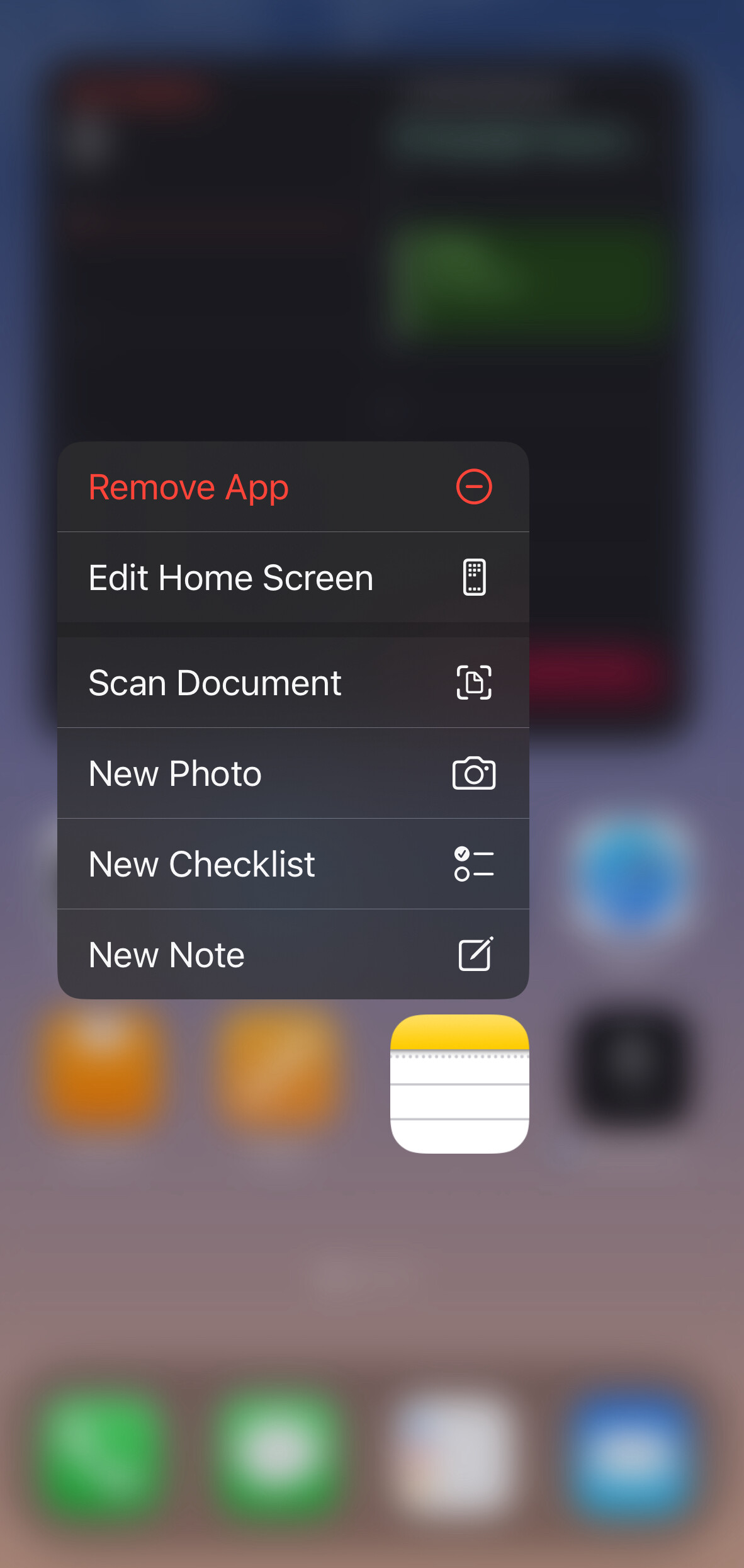
This is a sincere question, not rhetorical. How is this app any better or faster than the context menu of Notes from long pressing the icon? And, Notes also has built in OCR.
2 Likes
My understanding is that it depends on your workflow and needs: say if you just quickly want to scan a document and send it out without storing it somewhere, then this app is quicker?! I believe the notes app creates a new note and stores the pdf/image in that note - in case you don’t want that document in the notes app, you’d have additional steps of moving/deleting the attachment and note again. With this app it’s scan, send, forget …
(My understanding so far without having tested the app)
3 Likes
If you want to store all your documents in Notes, it is not better.
If you want to message, email, save to any Files app location, or use the general share sheet with all of those options, Simple Scan is better.
Simple Scan has OCR.
3 Likes
Just to be clear, because there seems to be confusion about this. Simple Scan uses Apple’s scanner. It’s just a different interface. Being quick and easy to use is its selling point. Here is the interface:

It defaults to what you did last time, so if you want to make a quick scan, it’s very handy.
2 Likes
That makes sense, but the share icon is available immediately in Notes upon saving the scan.
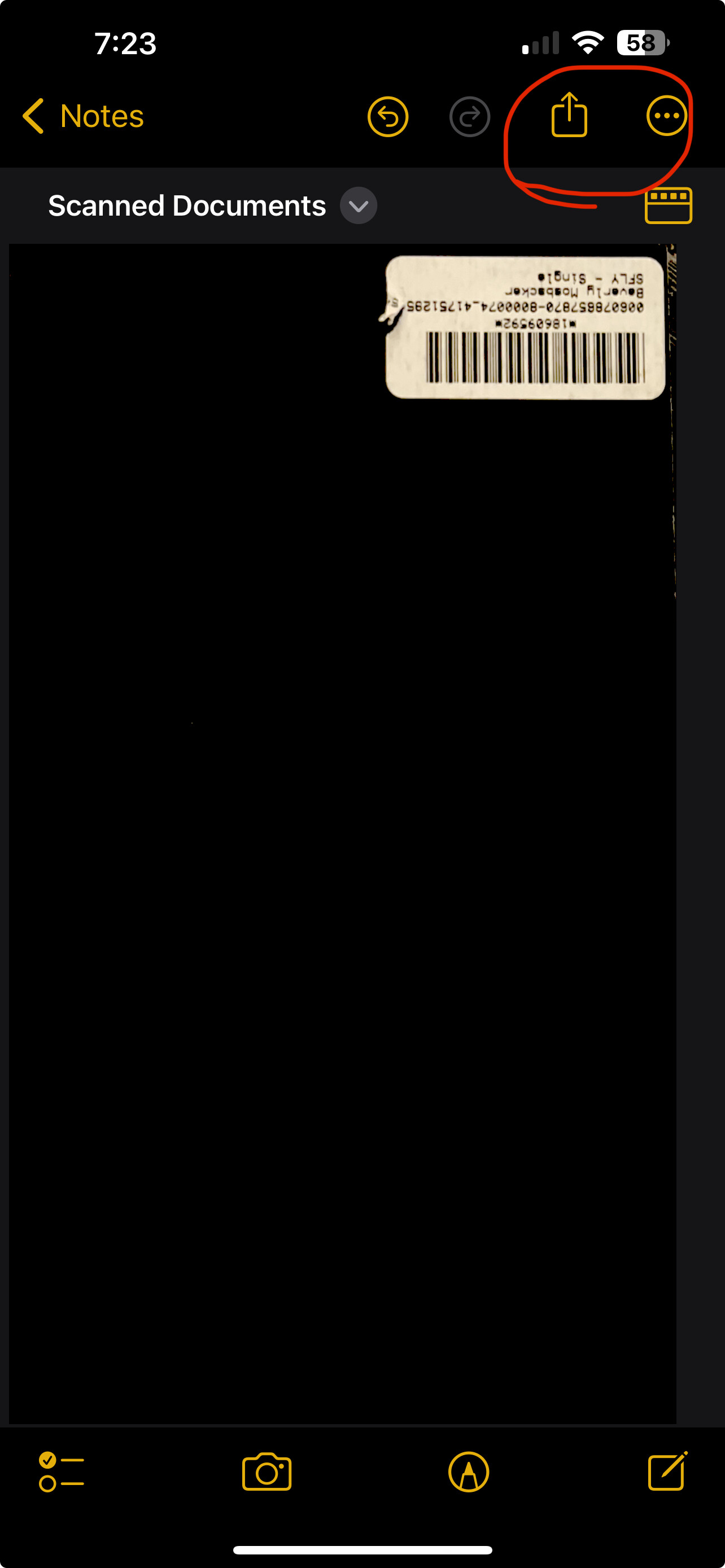
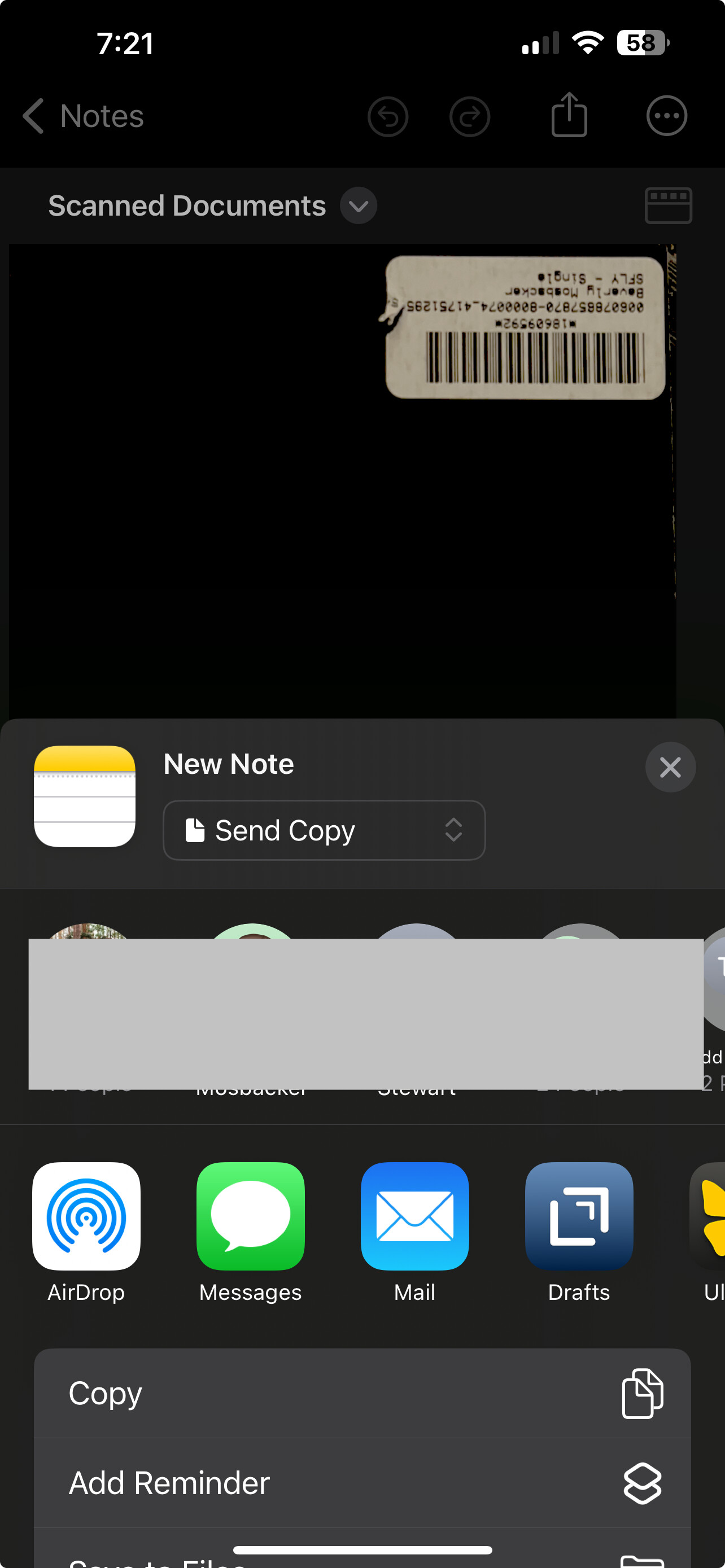
I’m not arguing a point, and the other app may be excellent for those not using Notes, but I don’t see a value proposition for those who use AN consistently. Just my thoughts. 
1 Like
It’s quicker to use Simple Scan. Using my default file location, I just open the app (which like drafts is very quick) hit the giant scan button, take the scan and click Ok. Done.
2 Likes
I bought it outright to support the developer (daily user of Drafts) and just used it for the first time today and I have to say that I loved how easy it was to get my scans into DevonThink To-Go!
I pointed it to: Files-> DevonThink to-go-> Global Inbox one time and now it’s only one click to save there with no extra copies being stored in the app.
A gateway vs. repository, which I appreciate.
It certainly lives up to its name and will be my new scanner app for quick, one-off scans into DevonThink.
2 Likes
As you demonstrated: you end up with a new note in AN containing the scanned document.
If you simply want to quickly scan something and send it off - without the intend to store it in AN - you end up with additional steps to later delete that note in AN, after you had sent it away.
SimpleScan itself does not store anything I believe, so in theory you end up with less steps. Hence it really depends on your workflow I guess.
2 Likes
I bought a lifetime license for this (only $19, I believe). It is the easiest scanner app I’ve used and has OCR right out of the box. And I’m sure it will get better.
On my wishlist: add a “flattener” (for lack of a better word). If a page is curled or has a shadow on it (or under it) from the lighting, create a scan that renders the page (and text) completely flat with no shadows. Evernote Scannable does this perfectly. I’ve never seen any other scan app do this. Though, I don’t use Scannable extensively because it requires an Evernote account to get all features. But it renders scans like no other app I’ve seen.
I look forward to seeiing what else this app has in store in the future.
I always forget about the 3D Touch or whatever it is called. Thanks for reminding me about it. I really need to use that option on all my apps more.
1 Like